





PRO
Four interlocking circles arranged in a square pattern, each labeled 01–04. Titles and descriptions surround the layout on each side.

PRO
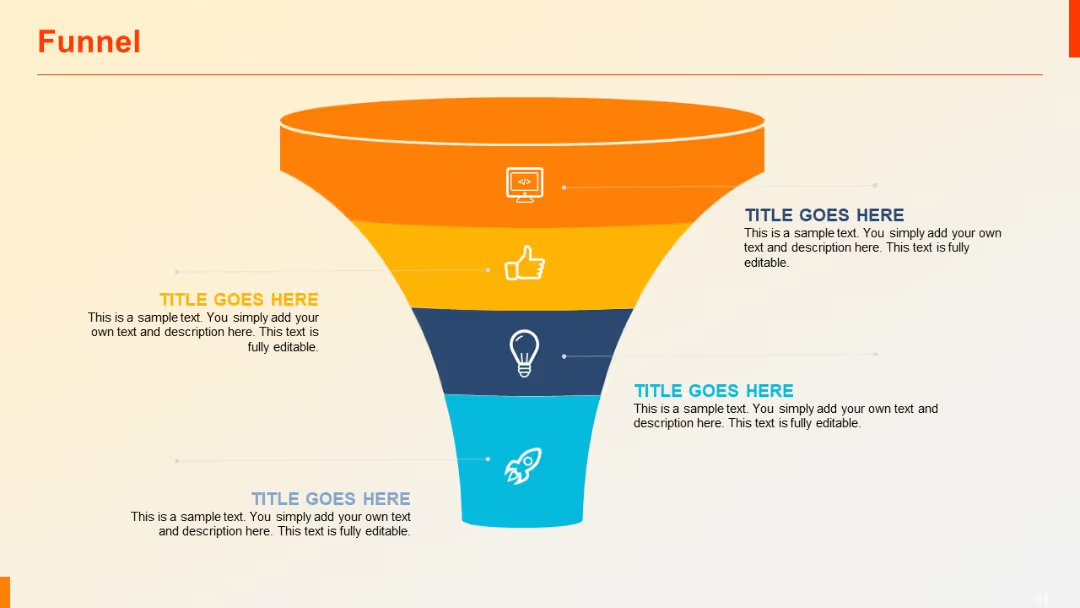
Wide top funnel narrowing down to base with five icons and aligned text on both sides. Strong blue-themed vertical gradient.

PRO
Vertical month-by-month timeline with horizontal bars and circular connectors; includes icons.

PRO
Multi-layered area chart with annotations (percentages inside arrows) pointing to peaks. Uses four series and blue gradient layers.

PRO
Split layout: left side with background image of people working, right side listing four sections numerically.

PRO
Similar to Slide 159 with fewer columns (only two options compared). Simple layout with pricing labels and feature availability via icons.

PRO
100% stacked vertical columns emphasizing proportional data breakdown. Labels marked by percentage on the x-axis.

PRO
Vertical column chart with four categories; right-aligned text column.

PRO
Four-column data matrix with rows under each header; consistent color schemes and organized row structures with placeholders.

PRO
Three vertically aligned rectangular blocks with icons above each, containing headers and bullets. Balanced and icon-supported design.

PRO
Plain clustered column chart with exact numerical values atop each bar. Displays three series over four categories.

PRO
Curved vertical timeline with circular nodes and lines connecting four titled segments. Gradient fill and bold colors are used.

PRO
Two-row, five-column grid with bold red column headers and light beige background. Equal column widths. Clean and structured layout.

PRO
Horizontal clustered bar chart showing side-by-side comparison of three series per category. Each series in different colors.

PRO
Matrix-style checklist table with check (✓) and cross (✗) symbols to indicate status or availability across eight columns and two rows.

PRO
A comparison table with a left-aligned title row and multiple columns, each with check marks and crosses. Color-coded columns and a placeholder for logo.

PRO
Zigzag flow from left to right with 4 numbered circular nodes and connecting vertical lines. Alternating top-bottom text placements.

PRO
Three-column layout: left with vertical icon list, center with simple bar chart, right with large blue text box; aligned header sections.

PRO
Expanded table with 4 rows and 5 columns, identical structure to Slide 22, allowing more entries for comparative analysis.

PRO
Zigzag arrow flow with four diamond-shaped step indicators numbered 01–04, flanked by title and placeholder text.

PRO
Same layout as 162, now featuring six circles including a faded grey one, suggesting future or optional ideas.

PRO
Boxed table layout with title bar and four rows. Speech bubble icons mark bullet points. Mix of bold and italic fonts.

PRO
Split-screen layout with two data tables: Operational Metrics (left) and Customer & Revenue Metrics (right). Each table includes "Before" and "After" columns.

PRO
Simple clustered column chart layout with three vertical bars per category and percentage labels above each column. Light gradient background.

PRO
A 3D circular exploded sphere split into four colored segments with dotted lines pointing to headers on both sides.

PRO
Two-row horizontal layout with numbered, icon-labeled steps and rounded rectangles for descriptions.

PRO
Vertical process with three circular icons along a dotted line, aligned left. Bullet-point content block on the right side.

PRO
Candlestick-style chart with OHLC data across five dates; color-coded boxes with whiskers.

PRO
Two horizontal stacked bar charts placed side-by-side. Three color-coded series in each bar.

PRO
Treemap visualization with nested rectangles representing hierarchical data across three branches.
